Knowledge base software
Compare 30 of the best ai knowledge base software tools for teams evaluating AI software by use case, quality signals, reviews, and alternatives.
Compare the Best AI Knowledge base software Tools
AI Knowledge base software Tools help teams move faster by automating repetitive work, improving output quality, or adding AI-assisted analysis to existing workflows. This category is useful for founders, marketers, operators, product teams, creators, and agencies that need to compare practical AI software before committing to a product.
Start by matching each tool to the job you need done: content creation, research, automation, collaboration, reporting, customer support, or technical execution. Then compare integration depth, pricing limits, data handling, review quality, alternatives, and whether the tool can fit into your current stack without a large workflow change.
RankTopAI highlights active tools with ranking signals, review counts, product descriptions, screenshots, alternatives, and related categories so you can narrow the shortlist quickly. Open individual profiles when you need deeper evidence such as detailed use cases, reviews, media, and competing products.
Top 5 Knowledge base software Tools
| Tool | Best for | Signal |
|---|---|---|
| 1. HackerPulse | Showcase and verify your skills using AI | 1 reviews |
| 2. hagrid | No-code user-generated FAQ, for any webpage | 2 reviews |
| 3. Support ChatGPT Playground | Create your own Support Chat in a few clicks | 1 reviews |
| 4. Helpdesk by LabiDesk | All-in-one helpdesk to assist, engage & sell to leads | 3 reviews |
| 5. OpenSauced | Optimize Your Open Source Project with Deep Insights | 4 reviews |

Showcase and verify your skills using AI
HackerPulse enables software engineers to showcase their skills, verified through adaptive testing and data analysis.
We use machine learning to analyze data from developer focused platforms and academic papers to create a comprehensive user profile.
Engineers can verify their skills through adaptive testing and social validation.
hagrid
No-code user-generated FAQ, for any webpage
You work really hard to get people to your website. And they have so many things they want to ask! hagrid is a no-code widget, where visitors ask questions and you respond; a user generated FAQ that adds trust and lets you connect with your audience.
Create your own Support Chat in a few clicks
Kodif's Support ChatGPT Playground allows customer support professionals to create their own company chatbot within 15 minutes and a few clicks. We are using GPT-4 to generate human-like responses based on your Knowledge base articles.
All-in-one helpdesk to assist, engage & sell to leads
LabiDesk is all-in-one help desk software for Omni Channel Support: Shared Email Inbox, Ticketing System, HelpWidget, Knowledge Base, Live Chat. Assist, Engage and Sell to your customers!
Optimize Your Open Source Project with Deep Insights
At OpenSauced, we're elevating the open source experience by delivering clear, actionable insights into repositories, contributors, and organizations, enabling contributors, maintainers, and teams to connect more effectively, collaborate efficiently, and drive meaningful impact.
OpenSauced is a power-up for your open source experience, bringing transparency, opportunities for discovering new connections, and an in-depth understanding of the open source ecosystem.
Eleplan
Caregiving made simple
Eleplan saves caregivers time and reduces stress by streamlining care coordination with secure and customizable, AI-powered plans.
Build a professional help center or doc site with Notion
Write your help articles in Notion and HelpKit takes care of the rest. HelpKit offers an embeddable widget, help center or documentation layout, full-text search, analytics and much more. Deliver instant help to your customers without ever leaving Notion.
My AskAI
Create an AI customer support assistant for your SaaS
The first AI assistant made from the ground up for SaaS businesses. Automatically generated insights on all user conversations, human handover to existing chat tools, and weekly site updates enable you to delight users, increase activation and reduce churn.
Changelogs made simple, clear, and engaging.
Loglybase helps you share product updates with beautiful, customizable changelog pages. No more plain release notes — use flexible editor blocks, custom domains, and themes to keep users informed and engaged. 🚀
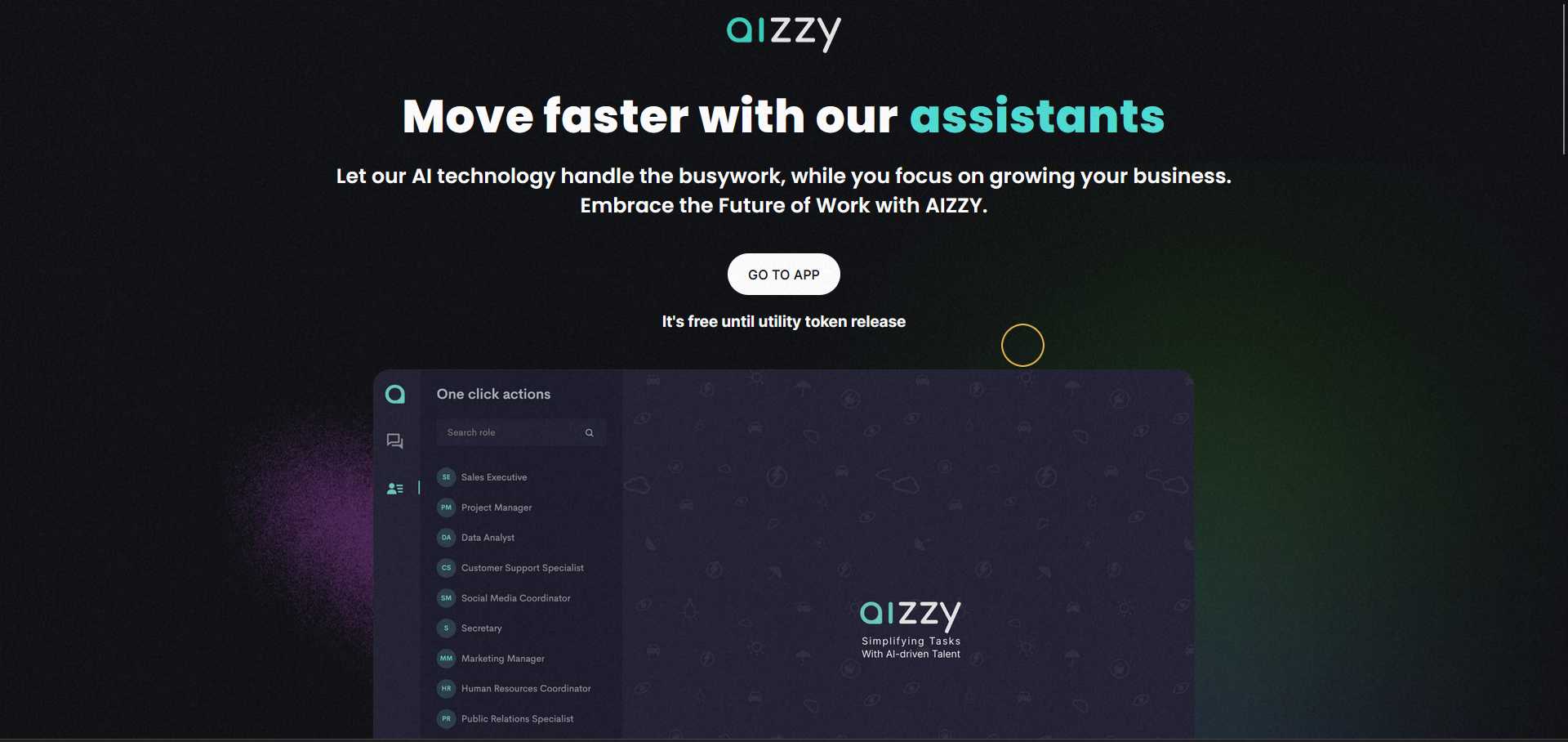
Simplifying Tasks with AI-driven Talent
AIZZY.ai is an AI-powered tool that provides interactive document handling, smart search features, and virtual assistance. It helps students, coders, professionals, and anyone dealing with complex situations or documents.
Efficiency: AIZZY.ai automates mundane tasks with AI-driven assistants, freeing up valuable time and resources. Expertise: Users can tap into a diverse pool of digital assistants, each with unique skill sets tailored to their needs. Scalability: The workforce can be effortlessly scaled to match evolving business demands with AI-driven assistants. Cost-effectiveness: Overheads can be slashed, and ROI maximized by investing in AI-driven solutions. PDF Interaction: AIZZY's AI technology can analyze the content of PDF documents and let users interact with them.
Main Use Cases
The use cases for AIZZY.ai include:
Automating repetitive tasks to improve productivity. Accessing a diverse range of digital assistants to complete tasks requiring specific expertise. Scaling the workforce up or down to meet business demands. Reducing overheads and maximizing ROI by investing in AI-driven solutions. Interacting with PDF documents using the product's AI technology.
Showing 1-10 of 30 tools
How to Choose AI Knowledge base software Tools
Define the workflow
Identify the exact task, user, and expected output before comparing features.
Check operating fit
Review integrations, collaboration support, security needs, exports, and pricing limits.
Validate evidence
Compare reviews, screenshots, alternatives, and product details before choosing.
Knowledge base software FAQ
AI Knowledge base software Tools help teams automate or improve work in this category with AI-assisted workflows, analysis, generation, recommendations, or decision support.
Start with your primary workflow, then compare output quality, integrations, pricing, security requirements, reviews, and whether the tool supports your existing stack.
This category highlights up to 30 active tools, ranked and filtered so you can compare the strongest options before opening individual product profiles.
Free plans are useful for testing fit, but production teams should also evaluate limits, data handling, export options, support, and upgrade pricing before committing.